how to “torify” your neocities page with an nginx reverse proxy
originally from https://lucke.neocities.org/blog/posts/2025-08-23.-torify-neocities
inconsequential disclaimer: i have no idea if neocities is okay with this, but there is no obvious reason for me to believe they should care. don’t come to blame me if your shit explodes
View on desktop for best experience. This guide is full of wide walls of text.
what is this about?
the onion router project allows internet users to access various services through multiple layers of encryption and pseudonymity for free. tor browser allows mere mortals to browse the web with reasonable protection fairly easily, and the tor daemon gives system administrators an extremely easy way to provide most types of internet services without revealing a server’s ip address at all

when a tor user connects to a hidden service, the user is additionally protected in that the administrator cannot see where the user is coming from at all - all incoming connections appear to be coming from localhost
motive
because i am very autistic about tor, i took the time to proxy my own page through a hidden service on one of my personal servers. you may have a more practical reason, though. maybe you’re running a privacy page or an esoteric variety blog whose users may want more than one way to visit you
prerequisites
hope you like terminals, buddy
you will need a device running nginx and tor. you can run this at home or anywere, really. no port forwarding necessary. additionally this device can be a pc, server, raspberry pi, whatever really. on most linux machines, you can install the packages tor and nginx with your system’s own package manager. enable their respective services from your init system (i.e. sudo systemctl enable ... + sudo systemctl start ... on ubuntu, fedora, pop os, raspbian, the like)
for fedora, you must first create the file /etc/yum.repos.d/tor.repo with the following contents:
…and then you can install the tor package with dnf. (and while you’re at it, use a real operating system like mint or devuan)
configuration
you’re gonna wanna grow yourself a tasty little onion. either devise a silly one through esoteric wizardry or just let tor do it for you. im going to show you how to let tor do it for you. create the file /etc/tor/torrc (if it already exists, move it to /etc/tor/torrc.backup or something before making your new one i guess). make it look like this:
next time the tor service is restarted, it will create an onion and point it to a socket. we will create that socket in a second, but first you should restart tor and get your bloomin' onion
restart the tor service, i.e. sudo systemctl restart tor.service on systemd-based machines. i will continue with systemctl examples because i assume that people on non-systemd operating systems do not need this kind of handholding
if everything works so far, run sudo cat /var/lib/tor/neocities-tor/hostname and copy the output to your clipboard. that is your onion address for this service. you’ll need it for the rest of this
now you need to add something like this to your nginx configuration. i recommend creating a separate file somewhere like /etc/nginx/neocities-tor.conf
if you created a new file, add this line:
include /etc/nginx/neocities-tor.conf;
…to the http {} block in /etc/nginx/nginx.conf
spinning up
if you did everything right (and i didn’t completely fuck this tutorial up), you should be ready to restart nginx now
example on fedora (lol):
wrap it up, and put a little bow on it
you can put anywhere on your page that you have an onion for your site now, but i prefer to be more discreet
now we’re gonna make it so tor browser notifies users of your onion when they are on your neocities webpage. add the following to the <head></head> section of /index.html:
save your neocities page and take a look at it through Tor Browser
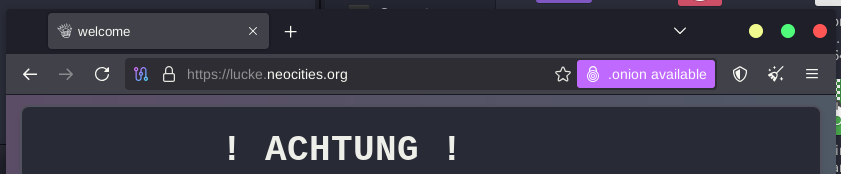
if you see that little purple button, go ahead and click it
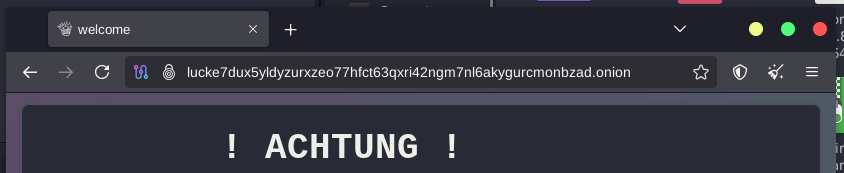
expect things to be slow; you’re coming through several proxies and you’re not paying a cent
congratulations, your neocities can now be accessed anonymously through tor
if i fucked it up or you have questions shoot me an email at lucke at waifu dot club. i hope my instructions were clear enough for a beginner or near-intermediate linux user